3 AI Tools That Turn Prompts Into Product Demo Videos: HeyGen vs CoAnimator vs Ngram
You can now describe a product demo and have AI build the video. We compare the three tools taking that idea in three different directions — HeyGen, CoAnimator and Ngram — by what each is actually for, how each bills, and which one to pick for the video you need to ship.
Every product team has the same video on its to-do list. The launch demo. The feature walkthrough. The sixty-second explainer for the landing page. And every team knows the real cost of that video isn't the idea, it's the two weeks of timeline-scrubbing, re-recording and revision rounds that follow.
That cost is what's collapsing. In 2026 you can describe the video you want, let AI build it, and then change it by saying what should be different. Three tools are taking that promise in three different directions, and the direction matters far more than the feature grid.
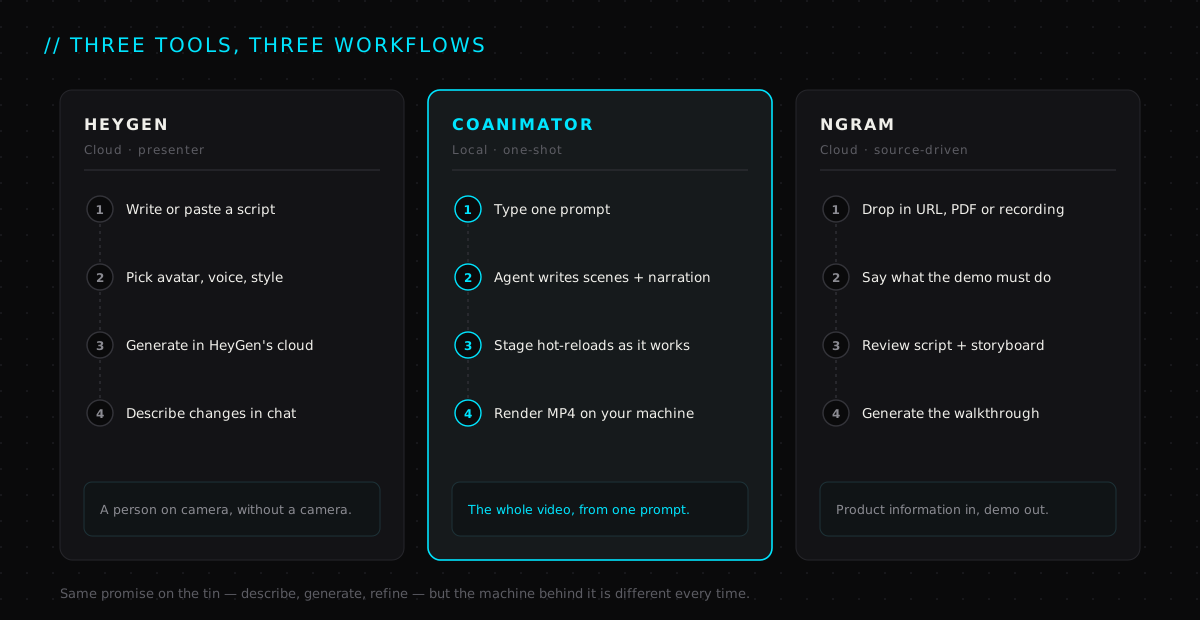
HeyGen puts an AI presenter on screen. CoAnimator builds the entire animated video from a single prompt, on your own machine, with whichever AI model you already trust. Ngram takes your product sources and turns them into a structured walkthrough. Same sentence on the homepage, three completely different machines behind it.
What "prompt to product demo" actually has to mean#
Before ranking anything, it's worth being precise about the job. A product demo isn't a generic AI video. It has to show a real interface, explain a real workflow, and stay on brand. Most of all, it has to survive revisions, because the product will change the week after the video ships.
So the bar for a tool in this category is higher than "makes a video from text." It has to do four things well:
- Start from what you already have. A one-line idea, a script, a feature doc, a screen recording. The less you rebuild, the faster you ship.
- Handle the whole pipeline. Script, visuals, voiceover, music, transitions and edit. If you still need three other apps, you haven't saved much.
- Take changes in plain language. "Shorten the second scene." "Make the tone warmer." If a change means reopening a timeline, the promise is broken.
- Not punish you for iterating. Revision is the whole workflow. A tool that bills you for every regenerate is quietly billing you for thinking.
Keep those four in mind. They're why the ranking below lands where it does.
The three, ranked by what they're best at#
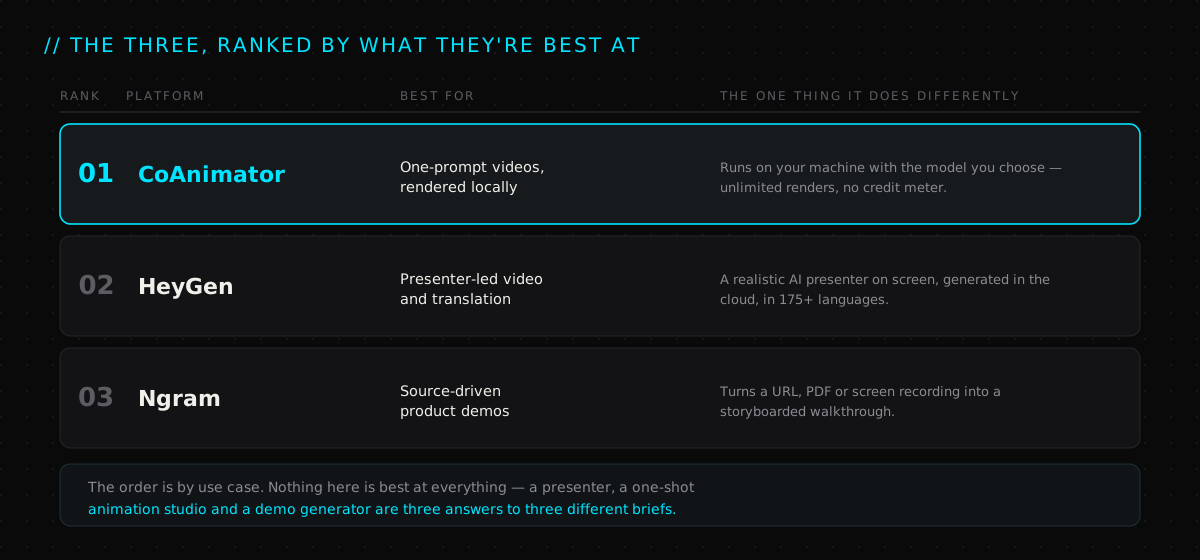
One thing to say plainly before the write-ups: this is a ranking by use case, not a leaderboard. If your brief is "a person talking to camera in eleven languages," HeyGen wins and nothing else on this page comes close. The order reflects how much of the demo-making job each tool covers end to end, and how well it holds up on the tenth revision, not just the first.
01 · CoAnimator — best for one-prompt videos on your own machine#
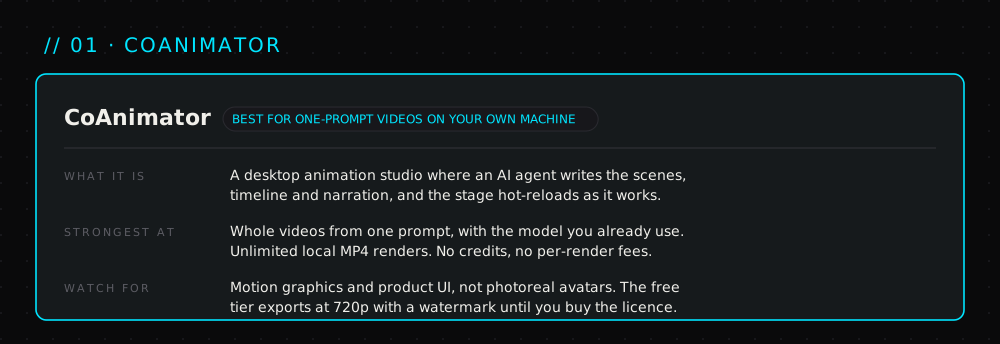
CoAnimator calls itself an agentic animation studio, and the word that matters in that phrase is agentic. It's a desktop app for macOS, Windows and Linux where an AI agent does the animating: you give it one prompt, and it writes the scenes, lays out the timeline, generates the narration and assembles the edit while the stage hot-reloads in front of you. That's the one-shot workflow from the video. Prompt in, production-ready MP4 out.
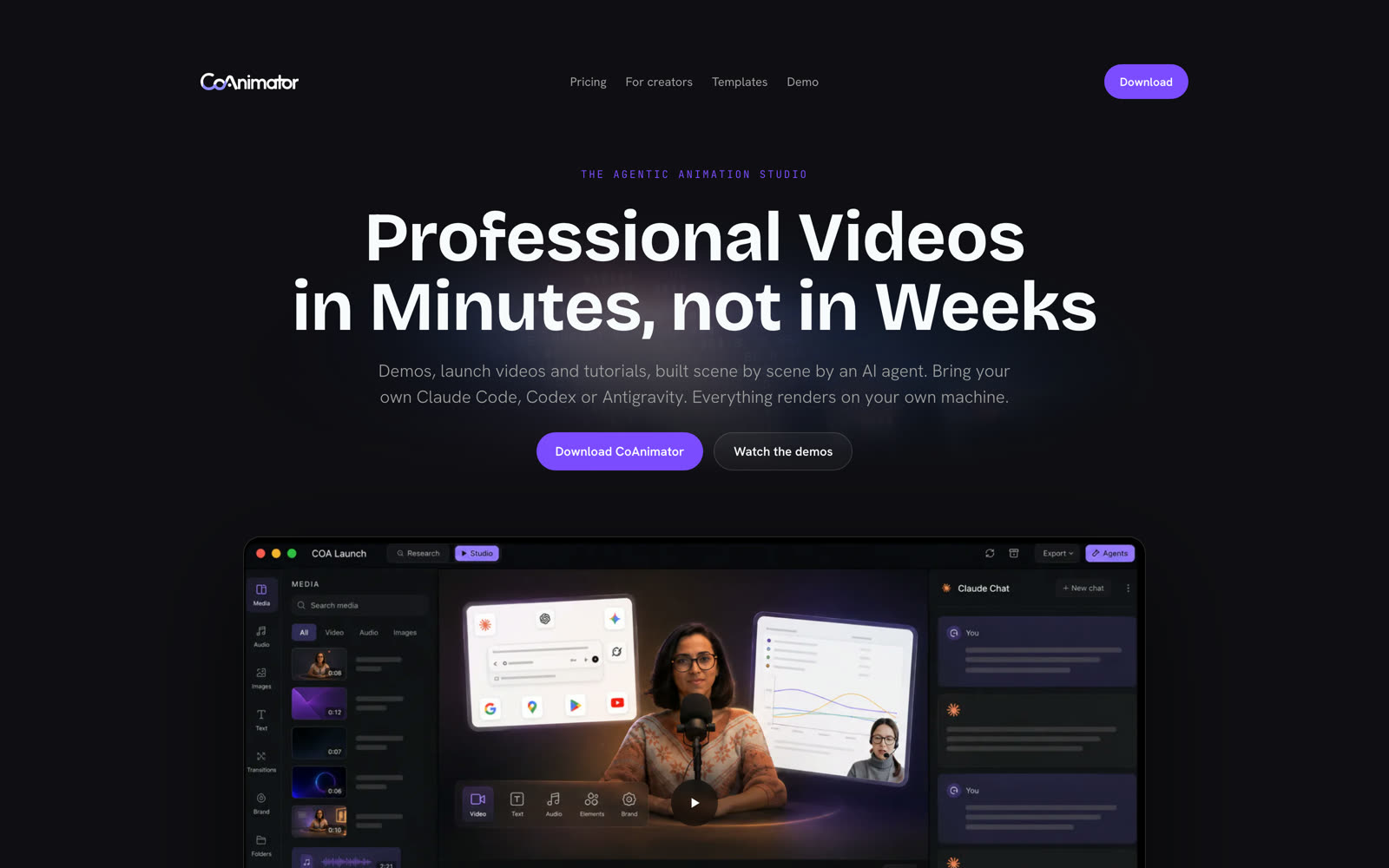
Two design decisions set it apart from everything else in this category.
First, you bring your own model. CoAnimator doesn't ship a house AI and lock you to it. You point it at the agent you already use, whether that's Claude Code, Codex, Antigravity or OpenClaw, and it does the work through that. If a better model lands next quarter, you switch. There's no vendor to wait on, and no risk of the tool's quality being capped by whichever model it licensed.
Second, everything renders locally. Your footage, your product screenshots and your finished MP4 never leave your machine. That's a privacy win for anyone demoing an unreleased product, but the bigger consequence is economic. Local renders are unlimited and unmetered. There is no credit balance, no per-render fee, and no moment where the tenth revision costs more than the first.
Where it shines: launch videos, explainers and product-UI-in-motion, the kind of video where the visuals are motion graphics, charts, kinetic type and animated interface rather than a human face. Every format ships with a playbook for the agent, documented looks and finished sample projects, so the first prompt starts from a working video rather than a blank stage. There's also a command-line renderer for headless exports, which means a demo can be regenerated from a script or a CI job every time the product changes.
Where it doesn't: it isn't an avatar tool. If the brief is a photoreal presenter delivering lines to camera, HeyGen does that and CoAnimator doesn't try to. The free tier also watermarks and caps exports at 720p, so a shippable demo means buying the licence.
On cost: this is the part that reorders the list. Free to try, then a one-time licence rather than a subscription, currently listed at $99 with a 14-day refund. It unlocks 4K, removes the watermark and includes a year of updates. After that, you keep the version you have. Compare that with a credit meter that resets every month and it's a different category of expense.
02 · HeyGen — best for presenter-led video#
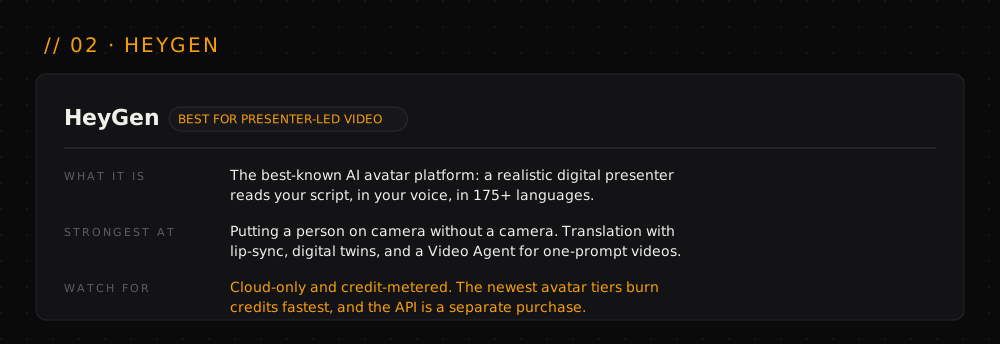
HeyGen is the name most people already know, and its entire approach is built around a presenter. You give it a script or an idea, pick an avatar, a voice and a visual style, and it generates a video of a realistic digital human delivering the lines. Its own tagline is "AI videos starring you," and that's an accurate description of the product.
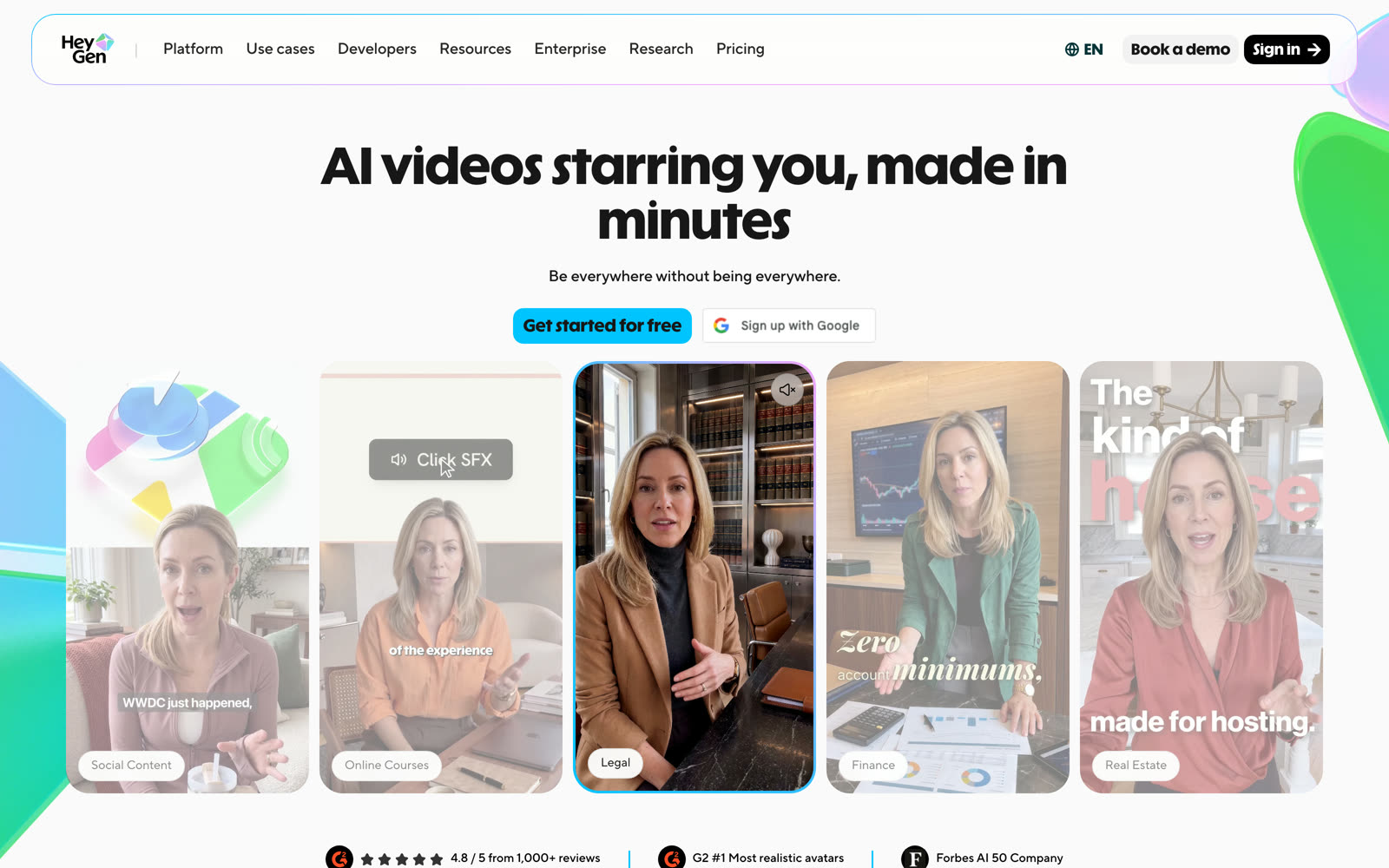
The current flagship is Avatar V, which HeyGen pitches as its most lifelike avatar yet, with consistent character across videos and multiple camera angles. Around it sits a full platform: a Video Agent that goes from one prompt to a finished video, video translation into more than 175 languages and dialects with lip-sync preserved, a digital twin feature so the presenter can be you, and an AI Studio with comments and multi-user editing for teams.
It also does the plain-language revision loop well. Describe a change and it rewrites the script, swaps a visual or adjusts the tone, all in the browser, all in HeyGen's cloud.
Where it shines: anything that needs a human face. Sales outreach, training and course content, localised versions of the same explainer for every market. The translation feature alone justifies it for teams selling in more than one language, and for a founder who wants to appear in every video without filming every video, the digital twin is the killer feature.
Where it doesn't: a product demo is mostly product, and a presenter in the corner of the frame doesn't animate your interface. HeyGen is also cloud-only, which some teams can't accept for unreleased features, and the newest, most realistic avatar generations are the most expensive per minute.
On cost: a free tier with watermarked one-minute videos, then subscription tiers with monthly credits: Creator at $29 a month, Pro at $49 with 4K, and Business at $149 plus a per-seat fee. Credits are consumed per minute of avatar video, so the bill scales with how much you generate and regenerate. API access is a separate purchase from the web plans.
03 · Ngram — best for source-driven product demos#
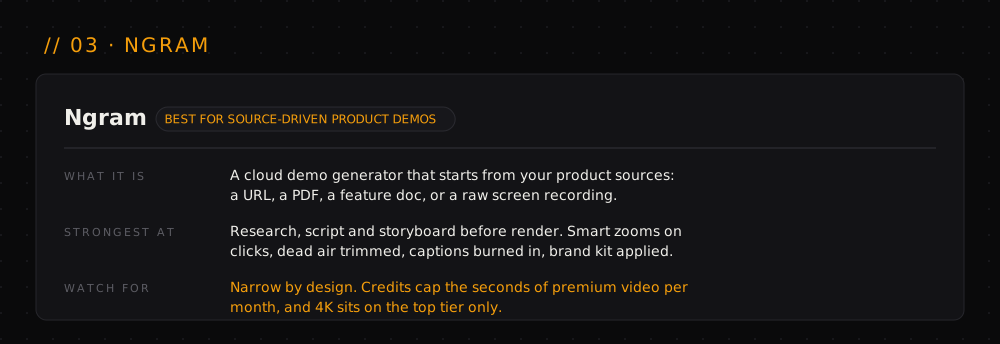
Ngram is the specialist. It isn't trying to be a general AI video generator; it's focused on one problem, which is turning product information into a demo. Instead of a blank editor you hand it what you already have: a product URL, a feature doc, a PDF, a rough screen recording, or just the messy notes from a launch brief.
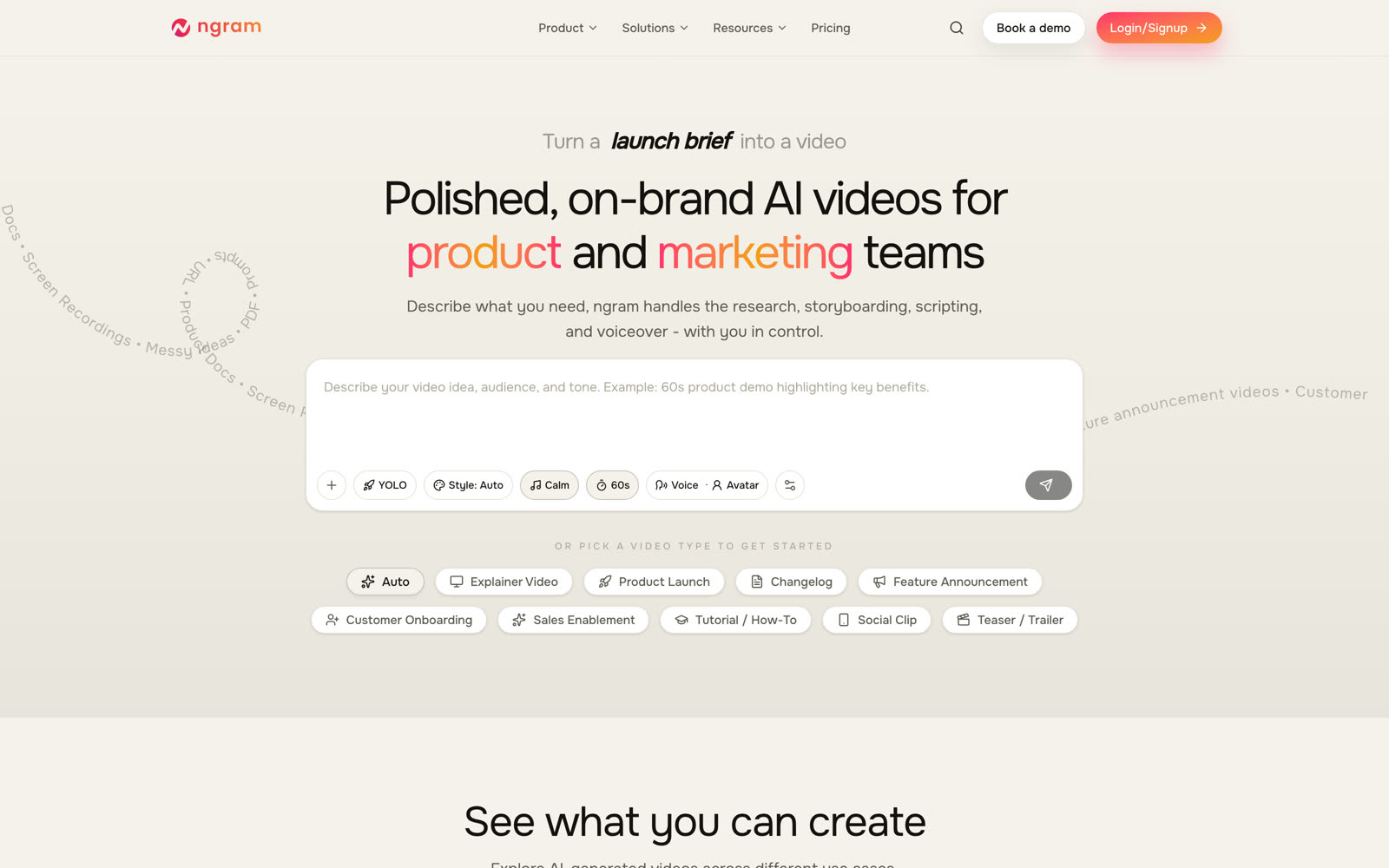
Then you describe what the demo should do, and Ngram researches the material, writes the script, plans a storyboard and generates the walkthrough. The storyboard step is the smart part. You see the script and the storyboard before anything renders, approve or adjust, and then iterate with instructions like "shorten scene two" without rebuilding the whole thing.
Its screen-recording handling is the other reason it's on this list. Drop in a raw recording and it detects clicks and key interactions, smooths the cursor, zooms to the action, trims dead air and filler words, and burns in captions styled to your brand kit. It exports 16:9, 9:16 and 1:1 from one project, and offers AI voiceover and avatars if you want narration or a face.
Where it shines: product marketing teams with a backlog of demos, changelogs and feature announcements, and a folder of docs and recordings to build them from. If the input is "here's the PRD and a screen capture," Ngram is the most direct path from that to a finished video.
Where it doesn't: it's narrow on purpose. It's a cloud service, so your sources go up to it, and the visual style is walkthrough-shaped. You won't get a bespoke animated launch film out of it, and you're working with whichever models Ngram has chosen rather than your own.
On cost: free to try with a one-time credit bundle and a sixty-second cap, then monthly plans metered in seconds of premium AI video per month. The entry plan sits in the low twenties a month on annual billing and exports at 720p; 1080p and 4K come with the higher tiers. As with HeyGen, the meter resets monthly, and heavy revision eats into it.
The part the feature list hides: how each one bills#
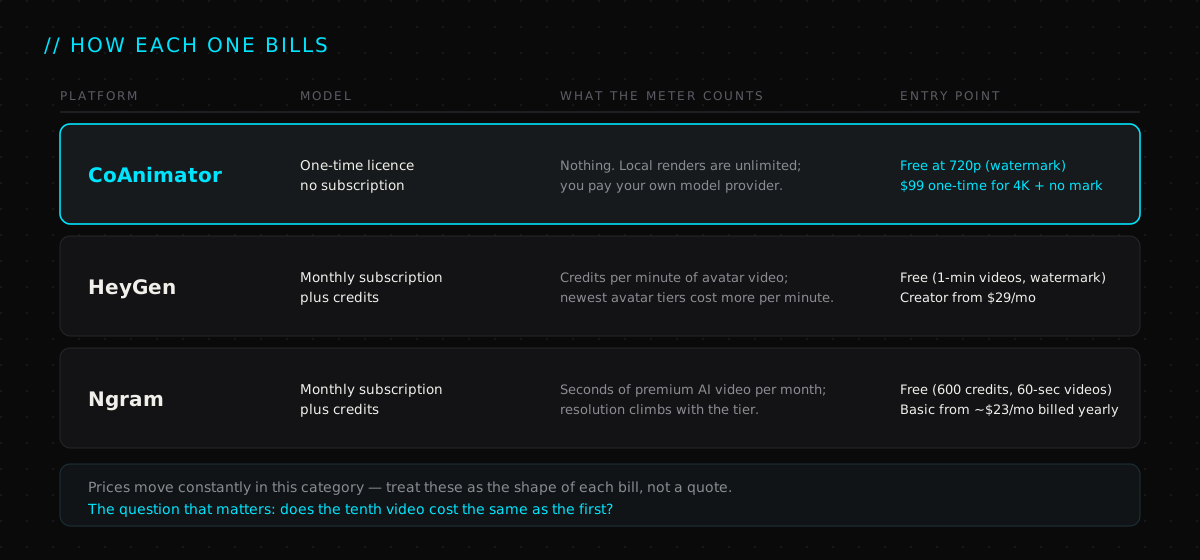
The feature grids on all three sites are true and all three are unhelpful, because they leave out the question that decides the real cost: what happens on the tenth revision?
HeyGen and Ngram both run on credits. That's not a criticism; cloud rendering costs money and someone has to pay for it. But it means the workflow this whole category promises, describe, generate, change, regenerate, is precisely the workflow that drains the balance. A team that iterates the way these tools invite you to iterate will find the monthly allowance is the constraint, not the software.
CoAnimator sidesteps this by moving the render to your own machine. Your only running cost is whatever you already pay your model provider, and a video you regenerate fifty times costs the same as one you regenerate once. For a team that ships a demo a week, that's the difference between a tool and a tax.
(Plans and prices change constantly in this category. Everything above describes the shape of each pricing model, not a quote. Check the vendor's live pricing page before you commit.)
So which one should you actually pick?#
Start from the video you have to ship this month, not from the longest feature list.
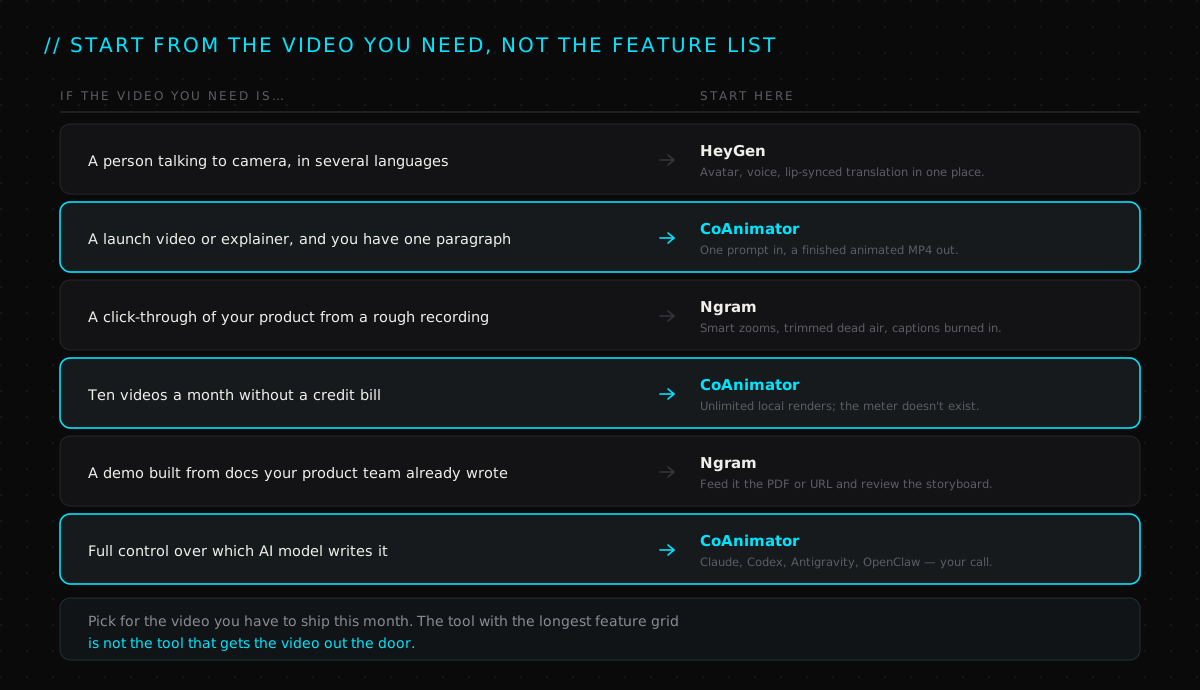
Condensed to a paragraph:
If the video needs a human face, especially the same face in many languages, use HeyGen. Nothing else here puts a presenter on screen, and its translation is the best reason to pay for it. If the video is a walkthrough built from docs and recordings your team already has, use Ngram. It will storyboard the demo from your sources and clean up a rough screen capture better than you would by hand.
And if the honest description of your brief is "I have a paragraph and I need a finished, on-brand video, and I'll need to change it next week too", then CoAnimator is the one built for that shape. One prompt in, a complete animated MP4 out, rendered on your own machine with the model you already use, and no meter running while you iterate. That combination is why it sits at the top of this list.
The mistake worth avoiding#
The most common failure here isn't picking the wrong tool. It's picking on the demo reel.
Every one of these platforms has a showreel that looks finished, and every one of them can produce something like it on the first generation. The first generation is not the job. The job is the fourth revision, after the product manager changed the feature name and the designer changed the button colour and legal asked for a different line in scene three.
The team that wins is not the one whose first draft looked best. It's the one that got from the first draft to the shipped video without a two-week edit, a drained credit balance, or a file that had to leave the building. Choose the tool that makes that loop cheap, and ignore the rest of the showreel.
Frequently asked questions#
What is a prompt-to-video tool, and how is it different from a video editor?#
A video editor gives you a timeline; a prompt-to-video tool gives you a result. You describe the video, the tool writes the script, builds the visuals, adds voiceover and music, and assembles the edit. When you want a change, you describe the change instead of dragging clips. All three tools on this page work that way. They differ in what they build, where they build it, and what it costs to iterate.
Which AI tool is best for product demo videos?#
It depends on what the demo is made of. For an animated launch video or explainer built from a single prompt, CoAnimator covers the most of the job on its own and doesn't meter revisions. For a demo built from a screen recording or a feature doc, Ngram is the most direct route. For a presenter explaining the product to camera, HeyGen is the clear choice.
Can I use my own AI model, like Claude or GPT?#
Only with CoAnimator. It's built to run with the agent you already use, including Claude Code, Codex, Antigravity and OpenClaw, so there's no lock-in to a single AI provider and you can switch when a better model arrives. HeyGen and Ngram run their own models in their own cloud, and you work with whatever they've chosen.
Which one runs offline or keeps my product footage private?#
CoAnimator. It's a desktop app for macOS, Windows and Linux, and every render happens on your machine, so your screenshots, footage and finished MP4 never go to a third-party server. HeyGen and Ngram are cloud services; your sources are uploaded to generate the video. For most marketing content that's fine. For an unreleased feature, it may not be.
Is there a free version of each?#
Yes, with different limits. HeyGen's free plan makes short watermarked videos. Ngram's gives a one-time credit bundle with a sixty-second cap. CoAnimator is free to use with unlimited local renders, but free exports are 720p with a watermark; the paid licence unlocks 4K and removes the mark.
How do these tools charge, and what happens if I regenerate a lot?#
HeyGen and Ngram meter you; CoAnimator doesn't. HeyGen charges monthly subscriptions with credits consumed per minute of avatar video. Ngram charges monthly with a cap on seconds of premium video. Both allowances reset each month and both shrink with every regenerate. CoAnimator is a one-time licence with unlimited local renders, so regenerating fifty times costs the same as once.
Can HeyGen make a product demo without a presenter?#
Partly. HeyGen's Video Agent can build a video from a single prompt, and its studio supports text-to-video and image-to-video. But its strengths, and its pricing, are built around the avatar. If you don't need a person on screen, you're paying for the part of the product you're not using.
Does Ngram work with a rough screen recording?#
That's its best trick. Drop in an unedited capture and it detects clicks and interactions, smart-zooms to the action, smooths the cursor, trims dead air and filler words, and burns in captions in your brand style. You then edit by editing the transcript rather than scrubbing the timeline.
Can these tools produce vertical video for Shorts and Reels?#
Ngram exports 16:9, 9:16 and 1:1 from one project. HeyGen supports vertical formats for social content. CoAnimator projects are animation code, so a vertical version is a re-layout the agent can do rather than a crop. Check the export options against the platforms you actually publish to before committing.
Do I need to know video editing or code to use any of these?#
No. All three are built for the "describe it, get a video" workflow. HeyGen and Ngram are browser apps with a prompt box. CoAnimator's agent writes the animation for you and shows the result on a live stage; you steer it in plain language. You never have to open the code, though you can if you want to.
Disclosure: CoAnimator is built by Delta4 Infotech, the same team behind YourGPT and this channel, and the video above was itself produced in it. We've tried to keep the comparison fair, HeyGen and Ngram both genuinely win their categories, but you should read our placement of CoAnimator with that in mind. Read why an AI agent can plan, write and check its own work if you want the mechanics behind the "agentic" part.
- 01CoAnimator — the agentic animation studio: bring your own agent, render locally
- 02CoAnimator — pricing: free 720p tier, one-time licence, unlimited local renders
- 03CoAnimator — download for macOS, Windows and Linux, plus the coa CLI
- 04HeyGen — Avatar V, Video Agent, video translation and AI Studio
- 05HeyGen — pricing: Free, Creator, Pro, Business and Enterprise plans
- 06Ngram — polished, on-brand AI videos for product and marketing teams
- 07Ngram — product demo video maker: storyboard first, smart zooms, captions
- 08Ngram — pricing: credits, seconds of premium video, export resolution by tier
Watch the full video
@thekernelcast on YouTube

AI Agent Orchestration: How AI Agents Actually Work
One request can hide dozens of steps. AI agent orchestration is the layer that plans them, picks the right tool for each, carries information between them, and verifies the result — turning a model that generates responses into a system that finishes the job.
read the take→
AI Agent in 100 Seconds
AI agents explained in 100 seconds — from keyword-matching chatbots to autonomous, goal-completing systems. Same chat window, completely new engine.
read the take→
Best Shopify AI Chatbots in 2026: 5 Tools Compared
An unanswered question at 2am is a cart you already lost. We compare the five Shopify AI chatbots worth shortlisting in 2026 — Zipchat AI, YourGPT, Gorgias, Tidio and Rep AI — by what each one is actually best at, and how each one really bills.
read the take→